
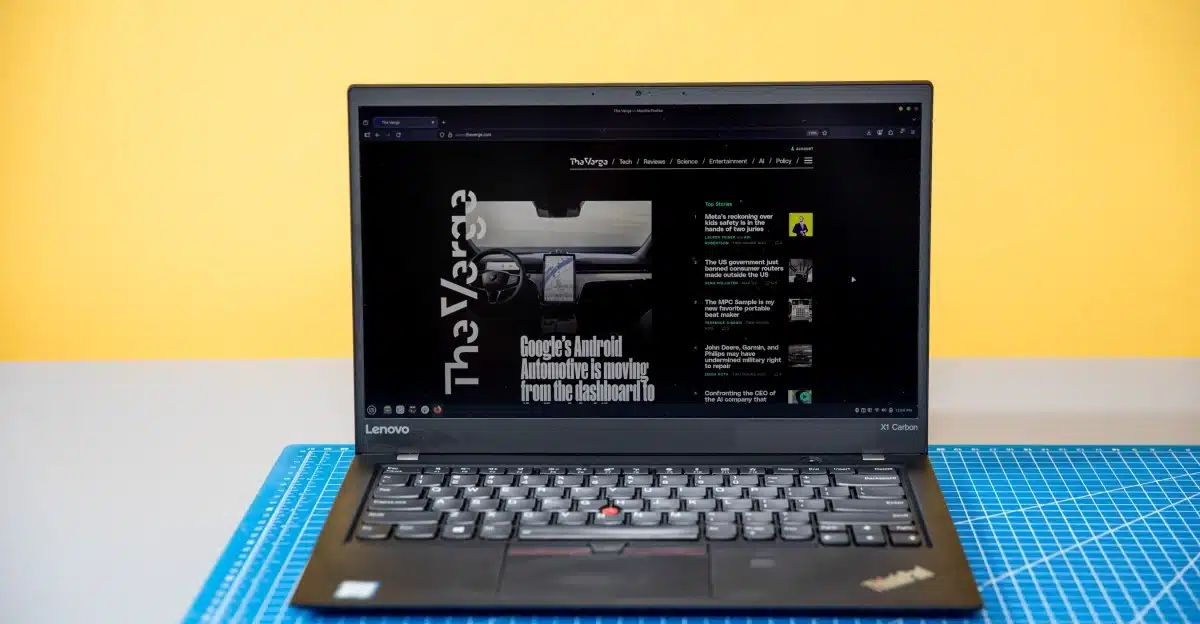
If your laptop is stuck on Windows 10, don’t rush to buy a new one; instead, consider switching to a different operating system like Linux.
Recently, a nine-year-old ThinkPad was rescued from obsolescence. Despite being one of the millions of Windows 10 PCs unable to upgrade to Windows 11 due to Microsoft’s stringent requirements, this ThinkPad still functions well for everyday tasks such as web browsing and light gaming. The problem is that Microsoft has stopped supporting Windows 10, deeming it “obsolete” and encouraging users to buy new machines. This laptop, however, remains perfectly capable, and there’s no reason it needs to continue running Windows.
The solution? Linux. Particularly, Linux Mint—a beginner-friendly distribution—runs smoothly on older hardware, offering a sustainable alternative for those looking to revive their aging computers.
System Specs and Limitations
The laptop in question is equipped with a 7th-gen Intel Core i7 processor, 16GB of RAM, and a 512GB SSD. While it technically meets many Windows 11 requirements, its processor is just one generation too old, leaving it unsupported by Microsoft. This laptop does work fine under Windows 10, but continuing to use it poses security risks since it won’t receive updates.
Switching to Linux Mint
Deciding to install Linux Mint transformed the ThinkPad. The installation process only took about 10 minutes, and post-installation, Mint greeted the user with an intuitive setup that offered customization options and already included essential software, like Firefox and LibreOffice. Although some applications may need to be installed using the command line, getting popular tools like Steam can be straightforward.
After switching, the ThinkPad proved itself surprisingly lightweight and functional. With a wealth of ports and a quality keyboard, it offered a pleasant user experience despite its age. Simple tasks and even light gaming were no issue, with titles like Dead Cells and Hollow Knight running smoothly. The system provided sufficient battery life for general usage, although gaming drained the power quickly.
Downsides and Considerations
While switching to Linux breathed new life into the ThinkPad, it did come with a few drawbacks. Battery life averaged around four hours per charge, significantly lower than its original performance. The laptop’s fingerprint reader required extra steps for compatibility, and app loading times were slower compared to modern devices. However, these issues are manageable, especially given the laptop’s capabilities and the savings from avoiding a new purchase.
Linux is not for everyone; compatibility with specific applications may limit its appeal, particularly for those depending on programs like Adobe Suite or Microsoft Office. However, alternatives exist, such as web-based versions of these tools, making it a viable option for many users.
The Conclusion
By shifting to Linux, users can avert the waste associated with perfectly functional yet unsupported devices, extending their utility. This approach not only saves money but also promotes sustainability in technology by keeping older hardware in use. If you’re unsure where to start with Linux, consider beginner-friendly distributions like Mint or Ubuntu, which make the transition smoother and more rewarding.
For those with older laptops, Linux could be the best answer to the forced obsolescence dictated by software giants.
ChicagoVPS is your gateway to unparalleled hosting solutions. Our state-of-the-art datacenters and powerful network ensures lightning-fast speeds and uninterrupted connectivity for your websites and applications. Whether you’re a startup looking for scalable resources or an enterprise in need of enterprise-grade hosting, our range of plans and customizable solutions guarantee a perfect fit. Trust in ChicagoVPS to deliver excellence, combining unmatched reliability and top-tier support.
For Inquiries or to receive a personalized quote, please reach out to us through our contact form here or email us at sales@chicagovps.net.


