
Linux Mint and Ubuntu share the same underlying foundation, but they offer noticeably different experiences. For people moving from Windows, Mint is often the easier place to start.
Mint is based on Ubuntu’s long-term support releases, so the two share core system components, drivers, and much of their software compatibility. Their main differences are in desktop design, software distribution, and how quickly they adopt new technologies.
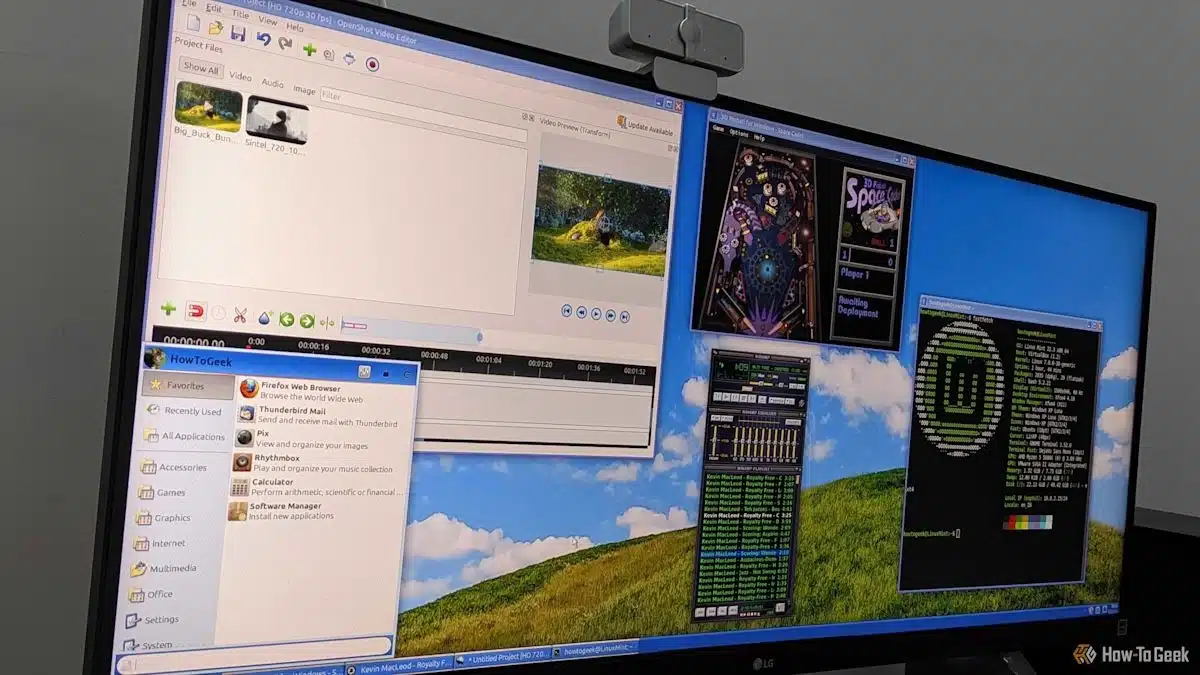
Mint’s Cinnamon desktop has a traditional taskbar, an application menu in the lower-left corner, and a system tray in the lower-right. Its layout is likely to feel familiar to Windows users, who can find apps and open windows without learning a new workflow.
Ubuntu uses the GNOME desktop, with a dock on the left and an Activities screen for finding open applications. Users accustomed to Windows may need time to adjust, though GNOME’s approach can work well on laptops and touchscreens.
Mint also makes common media tasks simple. Its installer or Welcome Screen can install multimedia codecs, allowing many local audio and video files to play without extra terminal commands. It also includes Timeshift, a tool for creating system snapshots, with setup guidance available after installation.
The distributions differ in how they handle sandboxed apps. Ubuntu offers Snap packages alongside traditional APT packages, while Mint disables Snap support by default and integrates Flatpak apps into its Software Manager.
Ubuntu generally adopts newer kernels and graphics technologies sooner. Its use of Wayland can improve fractional scaling on high-resolution displays and provide better support for features such as variable refresh rates and HDR.
Mint’s default X11 session favors familiarity and compatibility. Some older utilities, screen-capture tools, remote-desktop software, and legacy hardware may work more reliably with X11. The trade-off is that newer display features can be less capable or require workarounds.
Mint’s slower pace is intentional: newer kernels and drivers can introduce problems, particularly with older or proprietary hardware. For many people leaving Windows, a stable system that requires less troubleshooting is worth giving up the latest features.
Mint is a strong first choice for users who want a familiar desktop and a predictable experience. Ubuntu may be the better fit for people with newer graphics hardware or advanced multi-monitor needs.
ChicagoVPS is your gateway to unparalleled hosting solutions. Our state-of-the-art datacenters and powerful network ensures lightning-fast speeds and uninterrupted connectivity for your websites and applications. Whether you’re a startup looking for scalable resources or an enterprise in need of enterprise-grade hosting, our range of plans and customizable solutions guarantee a perfect fit. Trust in ChicagoVPS to deliver excellence, combining unmatched reliability and top-tier support.
For Inquiries or to receive a personalized quote, please reach out to us through our contact form here or email us at sales@chicagovps.net.


