
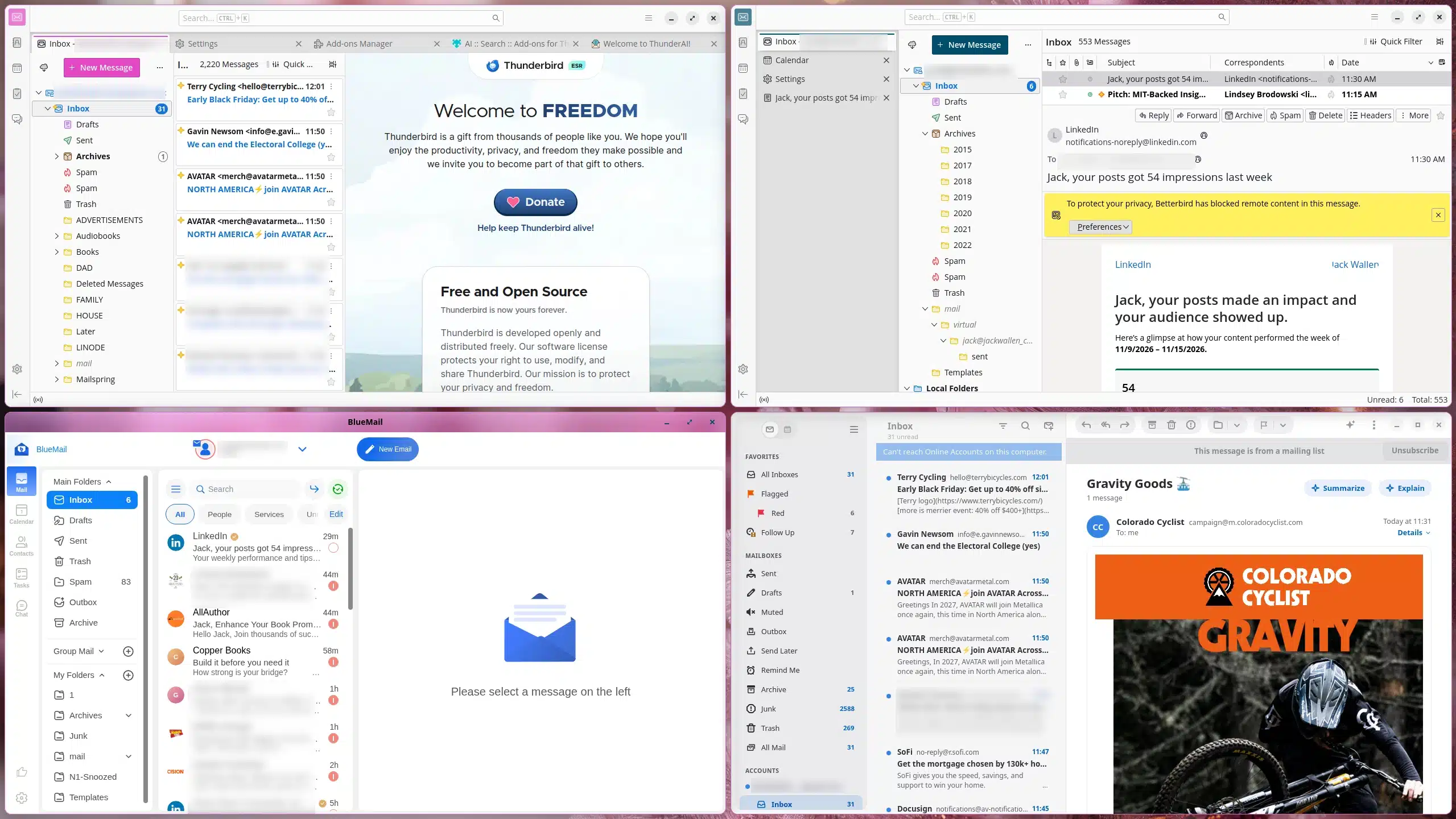
Email clients on Linux vary in reliability, features, and ease of use. After problems with Geary—including occasional crashes, missing messages, and a lack of recent updates—I tested several alternatives. These four stand out, and Penguin Mail is now my default.
Thunderbird is a dependable, free, open-source choice that has served Linux users for years. Alongside email, it includes a calendar, contacts, chat, and tasks. You can customize its layout, message sorting and threading, themes, and sidebar.
It supports IMAP and POP, as well as services such as Exchange and Gmail. Its filtering and search tools make large inboxes easier to manage, and extensions can add integrations with AI services including ChatGPT, Gemini, Claude, and Ollama.
Betterbird is a Thunderbird fork that stays close to the original while adding features and addressing issues. It offers options such as vertical tabs, a multi-line inbox, additional window layouts, account colors, and Linux system-tray support. It also does not send telemetry such as crash reports or usage data.
Vertical tabs are a particular highlight: messages can open in their own tabs, too. Like Thunderbird, Betterbird is free and open source. One drawback is that it may not always follow custom desktop themes.
Penguin Mail has a clean, practical interface and works on Linux and macOS. It supports Gmail, Outlook 365, iCloud, Fastmail, Yahoo Mail, IMAP, and POP, and includes email and calendar features.
Its standout feature is built-in AI support. You can connect a local Ollama installation without adding an extension or relying on an external API. Other tools include a unified inbox, Markdown support, recipient suggestions, scheduled sending, conversation view, categories, Gmail search, and junk filtering.
Gmail setup can depend on your desktop environment. GNOME and KDE Plasma let you add online accounts through system settings, which Penguin Mail can then use. On desktops without that feature, connecting Gmail may require additional configuration.
The app worked smoothly and reliably with my personal accounts, and its local AI support helped make it my current favorite. Penguin Mail is free and open source.
BlueMail is a fast client that opens quickly and renders HTML email well. Its interface includes a streamlined reply window, and it offers push notifications, end-to-end encryption, and a password-protected lock screen.
BlueMail’s built-in AI assistant, GemAI, can help read, write, and manage email. Free use has daily limits, while paid plans start at $3 per month and include additional features. The AI integration is limited to GemAI rather than other services.
BlueMail is free to install and use on Linux. Paid plans add extras such as email backup, premium themes, custom domain mailboxes, and team-management features.
Both Penguin Mail and BlueMail are strong options, but I’ve recently switched to Penguin Mail. It has the features I need, works well with my accounts, and connects directly to my local Ollama installation.
ChicagoVPS is your gateway to unparalleled hosting solutions. Our state-of-the-art datacenters and powerful network ensures lightning-fast speeds and uninterrupted connectivity for your websites and applications. Whether you’re a startup looking for scalable resources or an enterprise in need of enterprise-grade hosting, our range of plans and customizable solutions guarantee a perfect fit. Trust in ChicagoVPS to deliver excellence, combining unmatched reliability and top-tier support.
For Inquiries or to receive a personalized quote, please reach out to us through our contact form here or email us at sales@chicagovps.net.


