
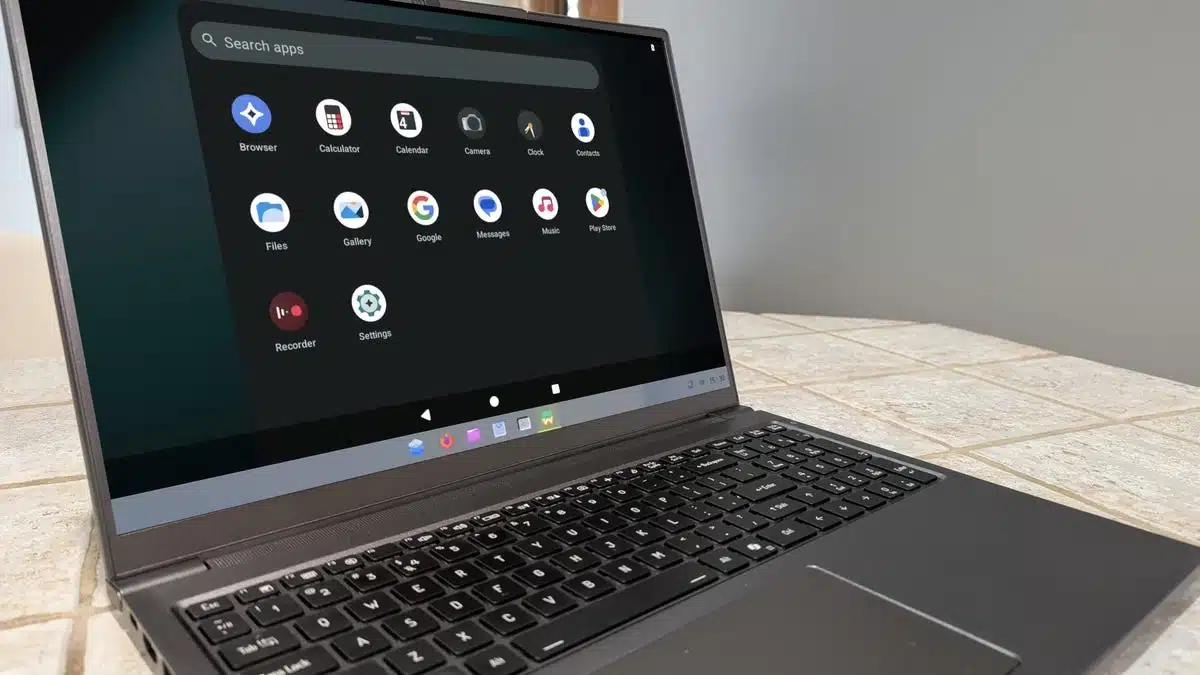
If you’re looking for a straightforward way to run Windows and Android applications on Linux, AnduinOS might be the solution you need. The latest release, AnduinOS V2.0, offers a user-friendly experience that’s particularly appealing for those transitioning from Windows.
Founded on Ubuntu, AnduinOS is designed for maximum compatibility and ease of use, making the installation of both Windows and Android apps a breeze. Users can seamlessly launch Windows apps by simply approving a compatibility sandbox during the onboarding process. This allows you to install and run Windows applications through an accessible environment, eliminating the complexity often associated with using Wine on Linux.
What is AnduinOS?
AnduinOS provides a familiar interface for new users, custom-built to resemble Windows. The user experience is straightforward: after installation, users can easily find their applications through a centralized menu. This OS stands out thanks to its developer background, which brings a Microsoft engineer’s perspective to the table, enhancing the likelihood of a smooth transition from Windows.
Preinstalled Software
The distribution comes with only a handful of preinstalled software, including Firefox and several media players. Users can easily install additional applications via GNOME Software integrated with Flathub.
Running Windows Apps
The pivotal feature of AnduinOS is its ability to run Windows apps with minimal setup. Users need to ensure they enable the Windows Compatibility Sandbox during the onboarding process. If this step is missed, it’s simple enough to revisit it later through the Welcome Center. Once configured, you can download and install Windows applications just like you would on a native Windows machine.
Installing Android Apps
For those interested in Android applications, AnduinOS provides a smooth setup for Waydroid, which allows you to run Android apps in a virtual environment. You simply install it via a couple of commands to get started. This integration simplifies the process, making it far easier than on other Linux distributions.
Overall Experience
As a standard Linux desktop distribution, AnduinOS performs well, maintaining stability and ease of use across various applications. While it may not offer the extensive customization options found in other desktop environments like KDE Plasma, it is designed to cater to average users with a hassle-free experience.
In summary, AnduinOS serves as an excellent midpoint for users looking to leverage both Windows and Android applications in a Linux environment. Its user-centric design and smooth integration capabilities make it an appealing option for both newcomers and seasoned users seeking versatility in their operating system.
ChicagoVPS is your gateway to unparalleled hosting solutions. Our state-of-the-art datacenters and powerful network ensures lightning-fast speeds and uninterrupted connectivity for your websites and applications. Whether you’re a startup looking for scalable resources or an enterprise in need of enterprise-grade hosting, our range of plans and customizable solutions guarantee a perfect fit. Trust in ChicagoVPS to deliver excellence, combining unmatched reliability and top-tier support.
For Inquiries or to receive a personalized quote, please reach out to us through our contact form here or email us at sales@chicagovps.net.


